Area Intelligence: price it, and see who else works the area
For any area you already transact in, the pricing evidence from official past sales and what the record shows about the competition, including where you rank.
What it is
Pick one of the areas from your own transaction record and Area Intelligence shows two things side by side.
Pricing evidence: for an HDB town and flat type, an estimate range from the last twelve months of resales with the number of comparables behind it. For a private district, the median, the middle half of the market and the median price per square foot from the last six months.
The competition picture: how many agents closed something there in the last twelve months, how many deals, the average per agent, what share the top five took, and where you sit among them.
Why we built it
Agents were pricing from feel and from what the last agent told the seller. The transaction record answers it better, and we already hold it.
The competition half exists because deciding where to spend your effort is as important as pricing a single flat. If the top five agents in a town take most of the deals, that is worth knowing before you commit a year to it.
Every figure carries its window and its sample size. When there is not enough data we say so rather than extrapolating, which is the opposite of how most area reports work.
Who it helps
An agent walking into a listing appointment
A price range you can defend, with the number of comparable sales it rests on.
An agent choosing where to farm
How concentrated the area is and where you already stand in it, before you spend the year.
The use case
A seller who thinks their flat is worth more than it is
You are meeting an owner in a town you work. Before you go, you open Area Intelligence, pick the town and the flat type, and see the range from the last twelve months of resales along with how many sales sit behind it. At the table you are not arguing about a feeling, you are showing the record, with the sample size next to it.
Walkthrough
- 01
Open the Find tab
Area Intelligence sits below Deal Radar and the Pitch Kit.
- 02
Pick one of your areas
The chips are built from your own transaction record, up to eight, ordered by how many deals you have done there.
- 03
Choose a flat type for a town
HDB towns get a flat-type selector. Private districts are priced as a whole.
- 04
Read the pricing evidence
The range, the number of comparables behind it, a plain confidence label, and the most recent comparable sale.
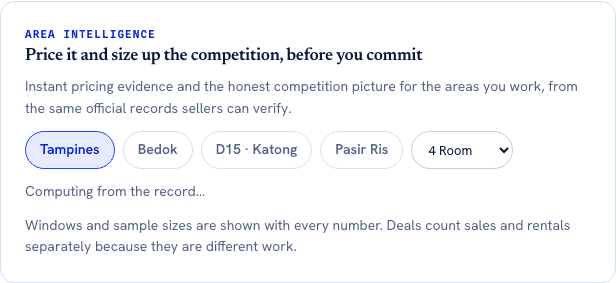
Every number arrives with the window and the sample size that produced it, which is the part most area reports leave out. The 2% top five share is the kind of finding the panel exists for: Tampines is not a town three agents own, it is 2,501 agents averaging 1.6 deals each. - 05
Read the competition
Active agents, deals closed with the sales split called out, deals per agent, the top five share, and your own position.
- 06
Open your pitch
One button takes you to your Pitch Kit page for the same area.
What it does not do
- It is not a valuation. It never asks for an address, a unit, a floor or a renovation standard, so it cannot price a specific home.
- You can only look at areas already in your own transaction record. There is no search box for the whole island.
- A town gives you HDB pricing. A district gives you private pricing. The two are never mixed for one area.
- Deals closed here is a combined count, with the sales figure shown beneath it. On the public profile the two are never added together. Inside this panel you are sizing up total activity in an area, so the combined number is the useful one as long as the split is visible, which it is.
- There is no export, no PDF and no client-facing version. The Pitch Kit is the artifact you share.
More of what we are building
AgentScore now counts only your own record
The agency Google rating used to be 15 of the 100 points. It is gone. Every point now comes from the agent's own CEA transaction record, and the four remaining dimensions were rescaled to total 100.
The dashboard now starts with what you already are, not a form
Setup is confirmation instead of composition, the worklist reads your real deals, a letter of intent is one tap away, and account admin has its own tab so the surfaces you work on stop asking you for money.
Your dashboard follows the deal now, not our toolbox
One property is one deal. The enquiry, the viewings and the paperwork for the same flat sit together, and the stage moves itself when you finalise a letter of intent or sign a tenancy agreement.