The dashboard now starts with what you already are, not a form
Setup is confirmation instead of composition, the worklist reads your real deals, a letter of intent is one tap away, and account admin has its own tab so the surfaces you work on stop asking you for money.
What it is
Deal Radar opens with the areas you already work, read from your own CEA transaction record, with your deal count and last deal beside each one. You confirm the ones you farm instead of typing them in. Up to five.
Today reads your pipeline. A deal you typed in yourself now appears in the worklist with the next thing it is waiting on, and a deal that has gone quiet for a week says so.
One tap from Pipeline to a new letter of intent, where it used to be three: a list, then a New document button, then a type picker.
A fifth tab, Settings, holds your profile, your plan and billing. You keeps your standing and demand, which is what it was always for.
Six events now record what agents actually do, attributed to the signed-in agent rather than guessed.
Why we built it
The prospecting feed was empty for every agent on the platform. It only shows properties in the areas you farm, and it asked you to type those areas into a blank picker, so nobody had. Not one agent had saved a single area, which meant the feed inner-joined an empty table and returned nothing, for everyone, while promising a fresh call list every morning.
We already knew the answer. Your CEA record names the towns and districts you have actually closed in, and we were showing them to you on the same screen, two panels away from the blank box asking you to name them.
The worklist had the same shape of problem. It counted seller enquiries and viewing requests, both of which depend on demand arriving, so it had never rendered for anyone. An agent could have four live deals typed in by hand and still be told nothing needed them.
And the screen with your standing on it carried five separate prompts to pay, including one selling a number the product does not measure. Asking for money before an agent has had a single win is the wrong order.
Who it helps
Agents who just claimed
The first screen shows work rather than a setup form, and the one setup step left is a tap on an area you already work.
Rental salespeople
The path from a deal to a letter of intent is one tap from the tab you are already on.
Anyone who tried Deal Radar and saw nothing
It was not broken for you specifically. It was empty for everybody, and it is not any more.
The use case
The first five minutes after you claim
You open the dashboard. Instead of a blank picker asking which areas you farm, Deal Radar already lists them: the towns and districts from your own CEA record, with how many deals you have closed in each and when the last one was. You untick one that is not really yours, tap Confirm, and the feed fills with owners in those areas reaching their MOP and recent sales to price from. Nothing on that screen asks you to subscribe.
Walkthrough
- 01
Open the dashboard
Today shows what needs you: your open deals, stalest first, each with its next action. If a deal has been quiet a week, the row says so.
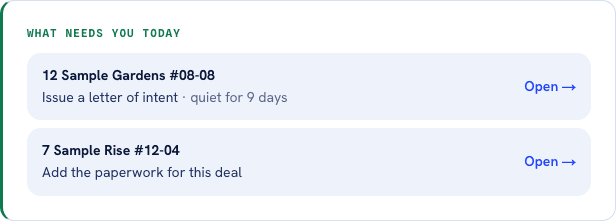
Deals you typed in yourself, stalest first. Before this the worklist read only seller enquiries and viewing requests, so it stayed empty and told you nothing needed you. - 02
Go to Find
Deal Radar shows the areas you already work, pre-ticked, with your own deal counts. Confirm or edit them in one tap.
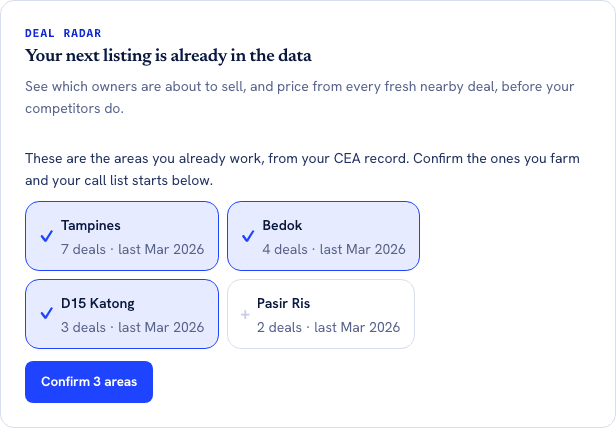
The counts are your own transaction record, not an estimate. The top three come pre-ticked, so confirming is one tap and correcting is the exception. - 03
Work a deal
Pipeline groups deals by stage, each row showing what it is waiting on. A letter of intent is one tap from the bottom of the tab, with no list and no type picker in between.
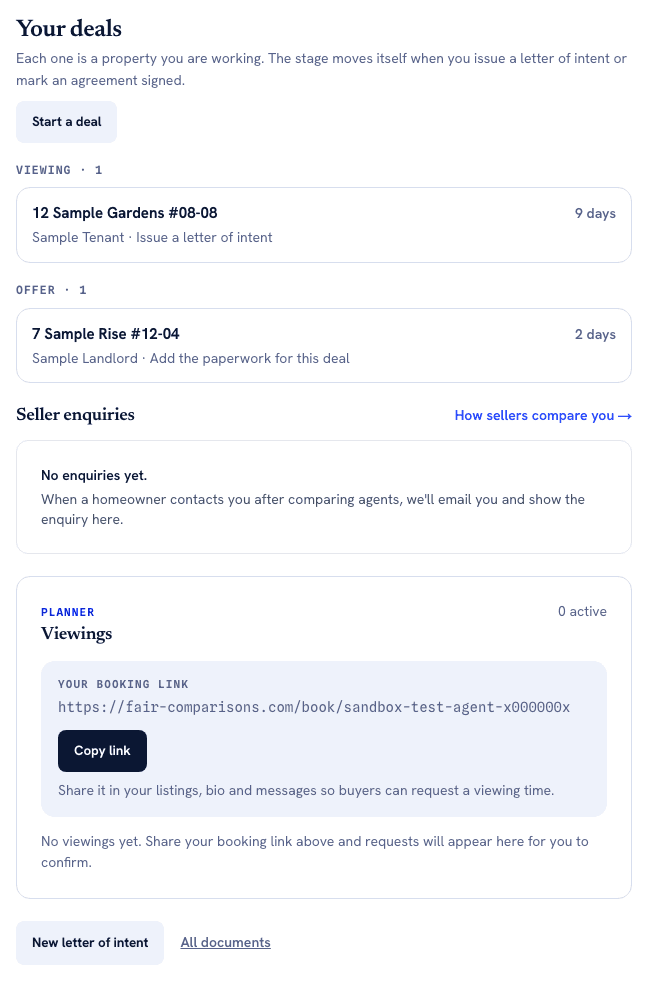
One deal action per screen, and the direct route to a letter of intent at the bottom. It used to take three taps through a document list and a type picker. - 04
Everything else is in Settings
Profile, plan and billing moved out of the way, so the tabs you work in stay about the work and stop asking you to pay.
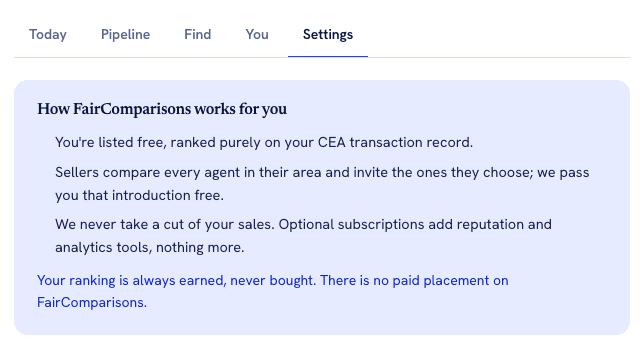
The fifth tab. Your profile, plan and billing live here now, which is why Today, Pipeline, Find and You no longer carry a single prompt to subscribe.
What it does not do
- Area suggestions come from your CEA transaction record, so an agent with no recorded transactions still gets the manual picker. Around a fifth of the register is in that position.
- The private-property half of the feed is running on data that has not refreshed since April, so it is thinner than the HDB half. Splitting those two properly is next.
- Confirming an area is not a subscription to it. Nothing is sent to you about it yet; the feed is somewhere you look, not something that arrives.
- The worklist shows your three stalest open deals, not all of them. Pipeline remains the full list.
- Contact-click reporting was removed rather than fixed. It was never instrumented, so it showed a zero that meant nothing. It returns when it measures something real.
Try it now
Confirm your areasMore of what we are building
AgentScore now counts only your own record
The agency Google rating used to be 15 of the 100 points. It is gone. Every point now comes from the agent's own CEA transaction record, and the four remaining dimensions were rescaled to total 100.
Your dashboard follows the deal now, not our toolbox
One property is one deal. The enquiry, the viewings and the paperwork for the same flat sit together, and the stage moves itself when you finalise a letter of intent or sign a tenancy agreement.
Paperwork: the letter of intent, and the tenancy agreement that fills itself
Draw up a rental letter of intent on your own letterhead in about two minutes, then start the tenancy agreement from it with the deal already carried across.