Seller enquiries, with a first reply drafted from the record
Every seller who shortlists you lands in one inbox, ordered by what is at risk, with a first reply you can draft from official records and edit before you send it.
What it is
Sellers who compare agents here and shortlist you arrive in your Pipeline, ordered so the enquiries that could cost you a listing sit at the top, each with a chip showing how long it has been waiting.
On an enquiry you have been invited to quote, one button drafts a first reply. The draft uses only things on record: what the seller told us about their property, area, timeline and price expectation, your own name, agency and AgentScore, and recent transactions in their town or district.
Nothing is sent for you. Before a seller picks you, you do not have their number: the draft goes into the quote you send them through us. Once you win the lead, their contact details unlock and the same button drafts the follow-up you send directly.
The inbox has been there since June 2026. Drafting from the record arrived in July.
Why we built it
A seller who shortlists three agents is comparing three replies. The first substantive one usually wins the conversation, and agents were losing listings to the delay between the enquiry landing and finding the words.
Drafting from the record rather than from a template is the difference between a message that mentions the seller's block and a message that could have been sent to anyone.
We deliberately stopped short of sending. An agent's first message to a seller should go out under their own hand, from their own number, after they have read it.
Who it helps
Agents being shortlisted by sellers
The enquiries that matter most are at the top, and the blank page problem is solved in about a minute.
Sellers waiting to hear back
Faster, more specific replies from the agents they chose.
The use case
The morning an enquiry does land
A seller who compared agents in your town has invited you to quote, and the banner in your Pipeline tab says it is waiting. You open it and press to draft a reply. Back comes a message that names the seller's flat type, their area and two recent sales nearby, under your name. You edit a line, put it into your quote and send it, then mark it replied.
Walkthrough
- 01
Open the Pipeline tab
Enquiries are ordered so the ones needing you come first, with New, Aging or Overdue chips.
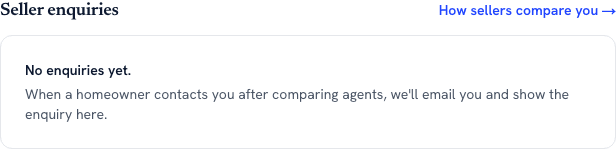
No seller name, no phone number, nothing that looks like a CRM record. What the row carries is the brief the seller filled in and how long it has been sitting, which is the whole basis of the ordering the entry describes. - 02
Expand an enquiry
Press Submit quote on an enquiry that is awaiting your quote.
- 03
Draft a reply
Press Draft a reply with AI. The result is labelled as grounded in the record.
- 04
Edit and copy
It is a plain editable box. Change what you want, press Copy, or redraft.
- 05
Send it with your quote
Paste it into the quote and submit. Then press Mark as replied to stamp the time.
- 06
Quote
Fill in commission, timeline, estimated range and your marketing approach and submit. If the seller picks you, their contact details unlock.
What it does not do
- Nothing is ever sent by us. The draft is text you copy and send yourself.
- It only holds seller enquiries generated here. It does not read your portal leads, your WhatsApp or your own email.
- Ten reply drafts a month are free. Inbox, at S$39 a month, removes the meter. The inbox itself, the ordering and the quoting are free.
- The comparable sales are area-level, not matched to the seller's exact unit or size, and the draft says so rather than implying a valuation.
- It does not learn or imitate your writing style. It sticks to facts on record, which is why it can be trusted to name a price.
- There is no WhatsApp alert yet. The code is built and switched off, waiting on business messaging approval from Meta, and we will not guess at a date. Today a new enquiry reaches you by email.
More of what we are building
AgentScore now counts only your own record
The agency Google rating used to be 15 of the 100 points. It is gone. Every point now comes from the agent's own CEA transaction record, and the four remaining dimensions were rescaled to total 100.
The dashboard now starts with what you already are, not a form
Setup is confirmation instead of composition, the worklist reads your real deals, a letter of intent is one tap away, and account admin has its own tab so the surfaces you work on stop asking you for money.
Your dashboard follows the deal now, not our toolbox
One property is one deal. The enquiry, the viewings and the paperwork for the same flat sit together, and the stage moves itself when you finalise a letter of intent or sign a tenancy agreement.